

Real estate is one of the few industries where the line between personal and professional networking largely disappears. Almost anyone a realtor meets could be a potential client, or someone who may refer one later. That’s why customer management, or more accurately, network management, plays such a critical role in real estate. This is also where generic CRMs start to fall short.
Most CRMs aren’t designed for referrals, repeat clients, or long gaps between conversations, which are non-negotiables in real estate. In this blog, we’ll examine real estate-friendly, relationship-led CRM options specifically designed for realtors. We’ll break down where each option fits, and where it doesn’t.
Key Takeaways:Who this is for: Realtors or anyone working in a real estate company. |
Top picks: Best Free CRM for real estate
Discover the best free CRM tools designed specifically for real estate professionals to manage leads, follow-ups, and client relationships efficiently. These platforms help you stay organized, close deals faster, and grow your business without additional costs.
1. Regards
Regards is a real estate CRM used to organize contacts, track past interactions, support regular follow-ups, and unlock organic and sustainable ways a business grows. Agents who grow primarily through referrals and long-term relationships commonly use it.
How it shows up in a realtor’s daily work:
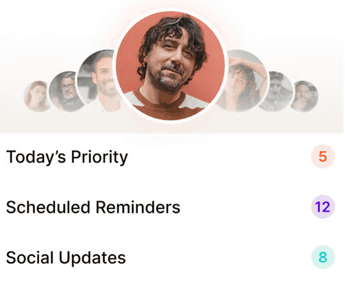
This mobile app reduces the effort of deciding who to contact and how to restart the conversation. Instead of pipelines, it surfaces a short daily list of contacts to reach out to, along with basic context from past conversations. Agents can just spend a few minutes every day executing the prompts and close the app.
What it handles well:
Setup takes roughly ten minutes, and day-to-day use usually fits into about five minutes.
Free plan:
There’s a 14-day free trial with full access, after which it moves to a monthly plan.
Known limitations:
It doesn’t handle listings or transactions.
2. Follow Up Boss
Follow Up Boss helps agents and teams work with inbound leads from portals, ads, or property websites. It makes follow-ups easier by centralizing lead capture, client interactions, and reminders in one place, helping realtors stay consistent.
How it shows up in a realtor’s daily work:
Instead of manual data entry, leads land in a single inbox from different sources, allowing agents to work through follow-ups and reminders quickly and consistently.
What it handles well:
Capturing and organizing inbound leads and handling multiple integrations smoothly with an open platform.
Free plan:
The tool offers three plans, each with a different set of features, and all of them come with a free trial.
Known limitations:
Reviewed for poor speed, particularly during contact searches.
3. Wise Agent
Wise Agent is used to manage contacts, listings, and transactions in one system. It lets agents track deals from start to close seamlessly without having to depend on multiple tools.
How it shows up in a realtor’s daily work:
With Wise Agent, realtors can use built-in checklists to track tasks and deadlines for active deals, which simplifies day-to-day transaction and listing management.
What it handles well:
It facilitates automated drip campaigns and lead workflows, along with unlimited document storage, basic performance reporting, and custom landing pages.
Free plan:
A free CRM software trial is available, including the transaction manager feature.
Known limitations:
Limited control over qualifying incoming leads.
4. Real Geeks
Real Geeks is a real estate CRM paired with an IDX website. It’s commonly used by agents who want lead capture and website activity tightly connected to follow-up.
How it shows up in a realtor’s daily work:
Agents can track how those leads interact with listings, and follow-ups are triggered by property views, saved searches, or site behavior.
What it handles well:
It offers fair automation in follow-ups for incoming website leads and provides responsive customer support during setup.
Free plan:
There is no free trial.
Known limitations:
Steeper learning curve, additional training, and complex setup and navigation.
5. Cloze
Cloze pulls information from emails, messages, calls, and calendar automatically and uses that to keep track of conversations and follow-ups.
How it shows up in a realtor’s daily work:
Agents get reminders for re-engagement, simple personalised email campaigns, and automated anniversary tracking, so they can cover key touchpoints without losing track.
What it handles well:
Features like meeting logs, call tracking, and Gmail read alerts help agents keep context intact. Stay-in-touch prompts and to-dos are created from real interactions and straight from emails.
Free plan:
Basic free account shows how contact updates and reminders work, while advanced AI features come with paid plans.
Known limitations:
Cloze doesn’t pull conversations from social platforms, which can be limiting if a lot of client communication happens there.
Best CRM Software for real estate teams: Pricing Comparison
CRM | Free Trial | Starting Price |
Regards | 14 days | $14/month |
Follow Up Boss | 14 days | $69/month |
Wise Agent | 14 days | $49/month |
Real Geeks | No free trial | Custom pricing |
Cloze | 14 days | $17/month |
Conclusion:
Free and trial-based CRMs can be a good starting point, especially when you’re clear about what you need from them. Some tools are better at speed and volume, others at staying in touch over time, and knowing that foundational difference in functionality allows you to find the best option for your workflow.

Why we built Regards
I’m bad at staying in touch. Not because I don’t value people. Its a lot of work, and I didn’t have a system. This started as my fix. A quiet assistant that helped me nurture relationships thoughtfully. When people noticed the difference and asked what I was doing, it slowly evolved into a product. And the love has been incredible. Regards, Khuze

Frequently Asked Questions
How to choose the best real estate CRMs for workflow automation?
Jot down the tasks you repeat every day. Then check whether the CRM can fully automate those tasks and turn them into simple workflows. Those workflows should show up clearly through daily notifications, alerts, reminders, or tickets. Try free versions to see which CRM comes closest to how you actually work.
Can I use HubSpot or Zoho for my real estate business?
You can, but generic CRMs like HubSpot and Zoho are built for sales processes, not for how real estate relationships usually work. Referrals, repeat clients, and long gaps between conversations aren’t supported by default in these tools.
What should real estate agencies look for when choosing the best CRM tools?
Some features are non-negotiable, such as contact management, follow-up reminders, and team visibility. Beyond features, real estate agencies should also pay attention to the experience, like ease of use and setup, and how well the CRM system supports relationship nurturing across referrals and repeat clients.
How does a free real estate CRM help boost lead generation and conversion?
An efficient real estate CRM enables you to capture and manage leads in one place, get prompts for conversations, and set timely reminders. This helps you stay in touch, deliver value over time, and convert leads without forcing the process.