
Key Takeaways
|
What "AI in CRM" Actually Means
"AI in CRM" gets thrown around a lot, and honestly, most of it is marketing. Strip away the buzzwords and it comes down to this: software that looks at your contacts, your conversations, and your patterns, and tells you something useful you wouldn't have noticed on your own. For professionals whose income depends on relationships — agency owners, consultants, wealth managers, headhunters — that's not a nice-to-have. It's the difference between a network that quietly goes cold and one that keeps generating warm introductions.
The truth is, most CRMs weren't built for this. They were built to track deals, not relationships. AI in CRM, done right, flips that — it treats your network as an asset that needs tending, not a database that needs updating. In practice, that usually breaks down into three distinct jobs:
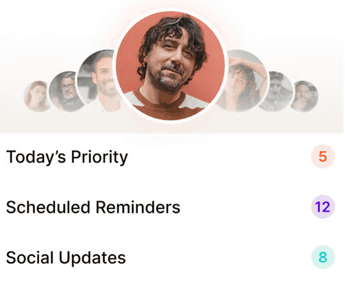
Prioritization — sorting a few hundred or a few thousand contacts down to the handful worth your attention today.
Signal detection — noticing a job change, a company announcement, or a gap in contact before you would.
Drafting — giving you a starting point for a message, not a finished one, so you're not staring at a blank text box.
Everything else — the sentiment analysis, the engagement scores, the automated sequences — is secondary. If a tool isn't doing at least one of those three jobs well, the "AI" label isn't doing much for you.
Where Machine Learning CRM Tools Actually Help
Machine learning is good at exactly one thing that matters here: finding patterns in more data than a person could reasonably track. A machine learning CRM can notice that you haven't spoken to a former client in four months, that someone in your network just changed jobs, or that a contact who used to refer you business has gone quiet — all without you having to remember to check.
That's the real value. Not "AI writes your emails for you," but AI doing the scanning and prioritizing so you're not spending your Sunday night scrolling LinkedIn wondering who you've forgotten about. It turns "I should really stay in touch with more people" from a vague guilt into a short, specific, doable list. A few concrete examples of what this looks like day to day:
A referral source you haven't spoken to in 90 days moves to the top of your list, before the relationship has actually gone cold.
A former client shows up as active again after changing companies — a natural, low-pressure reason to reconnect.
A contact posts about a new hire or a funding round, giving you something specific and genuine to comment on.
Someone you met at a conference six weeks ago hasn't had a follow-up yet, and the system flags it before it's too late to feel natural.
AI-Powered Relationship Management Without Losing the Human Touch
Here's where we'll push back on the hype a little: AI-powered relationship management should never mean AI-powered relationships. People can tell when a message is generated, and it costs you more trust than it saves you time. We all struggle with the same thing — not enough time to reach out to everyone who matters — but the fix isn't outsourcing the reaching out. It's outsourcing the remembering.
Relationships still need actual human engagement to genuinely deepen. What AI can do is the system and admin work underneath: tracking who you know, spotting the right moment, and getting you most of the way to a message you'll still write in your own voice. Think of it as a research assistant who's always paying attention, not a ghostwriter pretending to be you.
The AI CRM Checklist: What to Look For
Every tool on the market now says "powered by AI." The label tells you nothing. What matters is what the AI actually does, and whether it leaves the relationship-building to you. Use this as a quick gut-check when you're comparing options:
Look for | Be cautious of |
|---|---|
A short, daily list of specific people to reach out to, with a reason attached | A general "engagement score" or dashboard with no clear next action |
Signals pulled from real activity — job changes, posts, news, gaps in contact | Generic reminders like "check in every 30 days" regardless of context |
Draft messages you edit and send yourself, in your own words | Fully automated messages sent on your behalf without review |
Follow-up reminders based on what you actually discussed last time | One-size-fits-all templates that ignore relationship history |
Clear answers on how your contact data is stored and used | Vague or evasive answers about data handling and model training |
How to Get Started with AI in CRM This Week
You don't need to overhaul your entire process to see the benefit. A reasonable first week looks like this:
Import your existing contacts. Start with LinkedIn connections, your email contacts, or a spreadsheet — the system needs a baseline before it can spot patterns.
Let the tool run for a few days before judging it. Prioritization and signal detection get more useful as it has more of your activity to learn from.
Review your first daily list critically. Do the 5-8 suggested people actually make sense? Adjust who you're trying to nurture if not.
Send three messages using the drafted starters as a base, not a script. Rewrite them in your own voice — this is the habit you're actually building.
Check back in a week and look at what it caught. The real test is whether it surfaced a contact or moment you would have otherwise missed.
Is an AI CRM Worth It for You?
If your revenue depends on referrals and warm introductions more than cold outreach, probably yes — cold leads are slower, more expensive, and convert at a lower rate than someone who already trusts you. The real question is whether the tool respects the difference between managing information and managing relationships. The best ones know they're only responsible for the first.

Why we built Regards
I’m bad at staying in touch. Not because I don’t value people. Its a lot of work, and I didn’t have a system. This started as my fix. A quiet assistant that helped me nurture relationships thoughtfully. When people noticed the difference and asked what I was doing, it slowly evolved into a product. And the love has been incredible. Regards, Khuze

Frequently Asked Questions
What does AI in CRM actually do?
It analyzes your contacts and interactions to spot patterns — who you're losing touch with, who's likely to be valuable to reconnect with, and when to reach out — so you're not relying on memory alone.
Is an AI-powered CRM different from a regular CRM?
Yes. A regular CRM is a database you have to update and check manually. An AI-powered CRM actively surfaces who needs attention and why, instead of waiting for you to go looking.
Will AI replace the personal touch in relationship management?
It shouldn't, and if a tool is trying to, that's worth a second look. AI is good at the system work — tracking, prioritizing, reminding. The actual conversation should still come from you.
Do I need technical skills to use an AI CRM?
No. The good ones are built to fit into how you already work — a few minutes a day, not a new system to learn.
Is my data safe with AI-powered CRM tools?
It depends on the provider, so it's worth asking directly how your contact data is stored and whether it's used to train external models.
How long before an AI CRM feels useful?
Most people notice value within the first one to two weeks, once the system has enough activity to start spotting real patterns rather than guessing.
How is Regards different from traditional AI CRM tools?
Regards focuses on surfacing signals and prioritizing outreach — a daily list of who to reach out to and why — rather than trying to automate the outreach itself.