

Everyone with a serious professional network ends up with the same realization: the people you know are the most valuable asset you have, and almost nobody treats them like an asset. They sit in your phone book, in your LinkedIn, in a notebook from a 2023 conference, in your inbox archive.
A networking database is the upgrade. It's where the asset becomes usable. This guide walks through what a useful networking database actually contains, which fields matter, and how to move on from a networking spreadsheet to a real personal network database.
Key takeaways• A networking database makes your network usable instead of scattered. • Useful fields: name, tier, source, last contact, context. Skip everything else. • Tier structure A/B/C handles most of the relationship-management work. • A networking spreadsheet works for ~200 contacts. Past that, the structural problems compound. |
Why everyone needs a networking database (even if they don't realize it)
The signal that you need one isn't "I have a lot of contacts." It's any of these:
Someone asks for an introduction and you can't remember who you know at that company.
A past client moves jobs and you don't notice for six months.
A conference contact slips through follow-up and the warm window closes.
You feel like you should be reaching out more, but you don't know who.
Each of these is a symptom of a missing networking database. Each one costs real revenue.
What a useful networking database actually contains
A useful personal network database has five layers, and the rest is noise:
Identity — who they are, what they do.
Context — how you know them, what you've talked about.
Tier — how important they are to your work.
Cadence — how often you should be in touch.
History — when you last interacted, what was said.
Notice what's not on the list: revenue attribution fields, opportunity stages, complex tag taxonomies. A networking database isn't a sales CRM. The lighter version is the version you'll actually maintain.
The fields your networking database needs (and the ones you don't)
The fields that earn their place:
Name (with phonetic spelling if you've gotten it wrong before)
Company and role (current)
Source — how they came into your network (conference, BNI, referral, past colleague)
Tier — A, B, or C
Last contact date (auto-updates with each interaction)
Free-form context — voice notes, conversation history
The fields you can skip:
Birthday (unless you actually reach out on birthdays)
Spouse's name, kids' names (these belong in context notes if at all)
Address (your phone has it)
Twenty custom tag categories
Field discipline matters because every field is a maintenance tax. The networking database that works in year two has fewer fields, not more.
Tier structure for your networking database: A / B / C contacts
A simple tier structure handles 90% of the work:
Tier A: The top 20
The people who define your business. Top clients, top referral partners, your best advisors. Monthly cadence. You want to be in their head.
Tier B: The next 50
Important to your work but not weekly. Quarterly cadence. Reach out with a real reason — a signal, a piece of news, a referral.
Tier C: The broader network
Twice yearly. A short check-in. Often enough to stay top of mind, infrequent enough that it doesn't feel like noise.
Anyone outside the tiers stays untagged in your contact list management — surfaced only when a trigger event hits.
Why a CRM beats a networking spreadsheet after 200 contacts
Four structural problems hit every networking spreadsheet past 200 rows:
Last-contact dates go stale. Nobody updates them after every conversation, and the field becomes unreliable.
Notes columns become text dumps you can't search.
Mobile editing is bad — the post-meeting voice note never gets entered.
There's no proactive surface. The networking spreadsheet doesn't tell you who to talk to today.
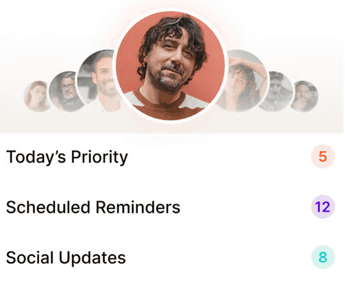
A real personal network database fixes all four. The mobile capture is voice-first. The history auto-updates. The proactive surface is a daily list of names with reasons.
How to migrate a networking spreadsheet to a real personal network database
One afternoon. Three steps:
Step 1: Export your spreadsheet to CSV. Personal CRMs import CSVs directly.
Step 2: Tag your top 100 on import (Tier A, B, C plus a category like "BNI" or "past client"). The rest land untagged and get tagged as you encounter them.
Step 3: Dictate ten voice notes from memory — the last ten meaningful conversations. Watch the AI extract follow-ups and context. This is what makes the database feel different from the spreadsheet in the first hour.
What to look for in a networking database tool
Mobile-first capture, because most interactions happen between meetings.
Voice notes with AI extraction — the workflow that survives a busy week.
Daily priority engine — a proactive surface that decides who to talk to.
Social listening — promotions, job changes, hiring posts, milestones surfaced as triggers.
Natural-language search — "who do I know at fintech Series B" without setting up tags.
Reasonable pricing for a solo operator — under $200/year, free trial that doesn't ask for a card.

Why we built Regards
I’m bad at staying in touch. Not because I don’t value people. Its a lot of work, and I didn’t have a system. This started as my fix. A quiet assistant that helped me nurture relationships thoughtfully. When people noticed the difference and asked what I was doing, it slowly evolved into a product. And the love has been incredible. Regards, Khuze

Frequently Asked Questions
Is a networking database the same as a CRM?
Closely related, but a networking database is built for relationship maintenance, not deal pipelines. A personal CRM is the tool that hosts a networking database well.
How big should my networking database get?
Functional databases run 200–2,000 contacts. Past 2,000, tier discipline matters more than absolute size — most people work primarily with their Tier A and B.
Can I keep my networking spreadsheet as a backup?
Yes for the first month. Most people stop opening it after week two.
What about contact list management across multiple devices?
A real personal network database syncs across phone, tablet, and web. The spreadsheet doesn't.


