

Let’s run a reality check. Most of us have a contact list that looks like a digital junk drawer. It is a chaotic mix of people you met once at an event three years ago, random phone numbers with no last names, and old email threads you have to dig through just to remember why you know them.
Managing a professional network is the lifeblood of business, but the actual work of manual typing, organizing, and mapping is the kind of busywork everyone hates. The good news is that technology is finally catching up. Not by replacing you with a bot, but by letting the tech handle the digital chores so you can focus on human connection. In this blog, we will explore how to leverage smart tools to manage professional contacts without the overwhelm.
Key TakeawaysSmart contact management systems handle the boring data entry like grabbing phone numbers and merging messy duplicates, so you can focus on the person.
|
The 5 Pillars of AI-powered Contact Management
If you want a network that actually brings in business, you need a contact management system that handles these five things without demanding hours of your time every day.
1. Contact Data Import
The hardest part is just getting every contact into one place. Modern AI tools can make contact onboarding much easier. Here is how technology streamlines the process:
No More Manual Entries: Smart tools can read an email signature and grab the name and number automatically.
Smart Mapping: The system can understand that Dave in your texts is David Smith on LinkedIn and keeps them in one file.
Social Sync: With the right integration, current photos and job titles are pulled in so your list is never obsolete.
Pro-tip: Use a mobile-first business card scanner app. You snap a photo of a business card at a lunch meeting, and the tool does the rest. No more pockets full of business cards.
2. Contact Updates & Data Maintenance
A contact list gets stale the moment you stop manually updating it. People move cities, change jobs, or get promoted. Smart systems stay on top of these changes to keep your list updated and relevant.
Auto Capture & Update: The tool spots new people in your inbox and asks if you want to save them.
Deduplication: It identifies different entries for the same person and merges them to keep your lists clean.
Stale Contact Cleanup: It identifies inactive contacts and flags them for re-engagement. This lets you focus only on relationships that are actually alive.
Change Detection: When someone updates their role on the web, your system should update too. You do not want to congratulate someone on a job they changed six months ago.
3. Intelligent Data Segmentation
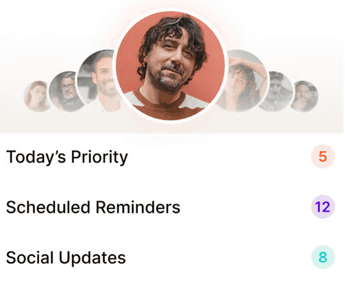
As a professional, your network is a mix of investors, mentors, and potential hires. You cannot treat everyone the same. Smart tools help you move past basic alphabetical lists by categorizing your contacts based on how you actually interact.Features include:
Smart grouping
Dynamic segmentation
Priority filtering
Intent-based tagging
4. Multi-platform Integration
Your professional life happens on WhatsApp, Zoom, LinkedIn, and Email. The tools you use should bridge these gaps, streamline workflows, and give you one single timeline of your relationship. This lets you see where you are in the conversation, regardless of where the conversation took place.
5. Security and Compliance
You need to know that while the contact management system is helping you stay organized, your data stays protected and within legal frameworks. Think of your network as your net worth. Any AI tool you use should act like a secure vault for your connections, keeping sensitive details locked down and meeting modern privacy standards like GDPR.
Conclusion: Combining Contact Management and Relationship Intelligence
When an AI tool for contact management moves past just storing contact information and starts supporting your actual relationships, this is what we call relationship intelligence. Instead of just being a digital filing cabinet, it gives you the clarity to know exactly who to contact and what to say every single day. The goal isn't to create more work or pushy sales scripts. It is about providing the simple guidance you need to stay top-of-mind through natural, human interactions.

Why we built Regards
I’m bad at staying in touch. Not because I don’t value people. Its a lot of work, and I didn’t have a system. This started as my fix. A quiet assistant that helped me nurture relationships thoughtfully. When people noticed the difference and asked what I was doing, it slowly evolved into a product. And the love has been incredible. Regards, Khuze

Frequently Asked Questions
How to choose the best AI tool to manage professional contacts?
Start by just jotting down what your actual contact management needs are. Artificial intelligence needs to handle all those basics and bring plenty of workflow automation and relationship management to the table. The goal is to get a tool that does more than just store names and can bridge the gap between a dry database and a productivity assistant. Ultimately, the best choice is the one that erases the admin work in contact management without erasing the human touch.
What are the best practices while using AI for contact management?
The best approach is to treat the technology as an assistant rather than a replacement. Start by letting the AI handle the heavy lifting of data entry, but do a quick periodic review to catch any small errors. While the tool can tell you exactly when a connection is going cold, the actual outreach needs to stay in your own voice to keep the relationship authentic. Above all, prioritize security by using an encrypted tool that respects privacy.
Is there a CRM for customer outreach and workflow automation?
Most modern CRMs now include some level of outreach and workflow automation, but the best ones are those that act as a central hub for all communication. They store contact details, automatically trigger follow-up sequences, log your LinkedIn interactions, and set reminders based on how long it has been since your last touchpoint. Tools like Regards fit right into this space by automating the administrative heavy lifting, ensuring your networking stays consistent.
How much time can I realistically save by using AI for my contact management?
On average, founders and professionals save from ten to fifteen hours a week by automating the ‘busy work’ of networking. Instead of manually updating spreadsheets, logging LinkedIn interactions, or digging through old emails, the AI handles that data entry in real time. This shifts the bulk of your effort away from administration and back toward actual conversation. While the tech shaves off hours of manual labor, the real value is in the mental clarity you gain by knowing no important follow-up is slipping through the cracks.