

Most people who want to get better at networking decide to use a personal CRM. They download the app, dump 2,000 contacts into it, and stop opening it after three weeks.
Learning how to set up and use a personal CRM is a gamechanger to ensure you have consistency and actually get value out of it. Here’s how you do it in a way that fits into your busy workdays.
Key Takeaways
|
Invest the time in setting it up
The single biggest predictor of whether a personal CRM works for you is the first few hours you spend on it. If you rush the setup — skip the context, skip the cadence, import too many people — the app becomes a neglected list, and you’re back to square one in a month.
Give it a proper afternoon. Pick your people, add context, set cadences, connect socials. Done well, the next two years take almost no effort. Done badly, every week will feel like admin.
Start with 200 contacts, not 2,000
The biggest mistake people make is importing everyone they’ve ever known. Phone book. LinkedIn. Five years of Gmail. By hour two, they’re staring at a wall of strangers and nothing feels meaningful.
Do the opposite. Pick the 200 people who actually matter to your work and your life right now. That’s clients, active collaborators, referral partners, mentors, close peers, and a set of warm contacts you want to stay close to. Anyone you’d genuinely want to hear from in six months belongs on the list. Anyone you’d struggle to place doesn’t.
200 is a real number — big enough to cover the people who move your career, small enough that you can actually tend to them. A small, well-tended CRM beats a massive neglected one every single time.
Add context to every contact
You don’t need a full profile for each person. You need enough that the next message you send them feels specific instead of generic.
For each contact, log one personal detail and one professional detail. The personal detail is what makes the difference: where they live, their kids’ names, a hobby, a recent trip, the thing they can’t stop talking about. The professional detail is what they’re working on, what they’re excited about, the challenge they mentioned. Then add any promise you made — an intro, an article, a thought.
Sync their socials too. With modern tools this is one click — the AI pulls their LinkedIn, recent posts, and public updates into the contact record so you’re not context-switching every time you want to reach out.
Case study: Dale Carnegie’s index card box Carnegie, the original networker, kept a physical index card for every person he met. Each card captured their children’s names, the projects they cared about, their ambitions, and personal details he could reference later. Before any meeting, he’d pull the card and review it — so the person always felt remembered. A personal CRM is the 2026 version of that box of cards. Same discipline, minus the filing cabinet. |
Set the cadence and let the app remind you
“How often should I reach out?” is the question that keeps people stuck. The answer isn’t a single number — it’s a cadence that matches the relationship.
A simple cadence framework Inner circle (top 20–30): real conversation every 2–4 weeks Active network (next ~100): a short, warm touchpoint every 6–8 weeks Extended network (remaining ~70): low-effort contact every 3–6 months New people you just met: follow up within 24–48 hours |
Tag each contact into a tier. Set the cadence once. Stop carrying it in your head — the calendar now owns it. When someone’s overdue, the app surfaces them. That’s the whole point.
Block 15 minutes, twice a week
This is the habit that makes everything else work. Two short blocks beat one long block. Fifteen minutes on a Tuesday and fifteen on a Friday fits into any week. An hour on Sunday rarely happens twice.
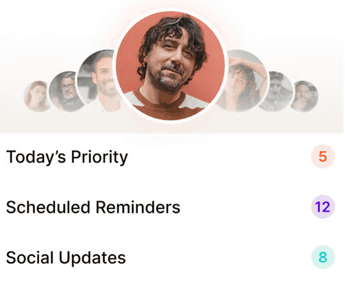
What happens in a 15-minute block Open the app. Look at who’s overdue based on your cadence. Reach out to at least 5 people. A personal message, an introduction, or something genuinely useful — an article, a resource, a thought. Follow up on any promise from the previous block. Add any new people you met this week and leave a quick voice note on each. |
Two blocks a week is 10 touchpoints a week, 500 a year. A network kept warm at that rhythm compounds into something very hard to build any other way.
Follow up within 24 hours of meeting someone new
Memory for a conversation degrades fast. Research on human recall suggests we lose up to 70% of a conversation within a day.
70% of a conversation is forgotten within 24 hours. Source: Research on human recall |
A follow-up that references something specific from your chat, delivered inside 24 hours, is the simplest trust signal there is. It says: I was actually listening. I valued this enough to do something right away. Three to five sentences, specific, warm. Not a pitch.
Leave a voice note after every meeting
This is the habit that separates people who maintain a real network from people who accumulate contacts and forget them.
After any meaningful conversation — coffee, call, dinner, hallway chat — open your CRM and leave a 30-second voice note. What they’re working on. What they just mentioned. Anything personal worth remembering. Modern tools transcribe it automatically, tag the contact, and drop the details into the record. The next time you reach out, the context is right there.
Apps like Regards go a step further: the AI listens to the note, extracts any follow-ups you promised (an intro, an article, a next meeting), and turns them into tasks automatically. You don’t have to remember to remember — you just talk.
Use signals to make outreach feel natural
One of the quiet superpowers of a modern personal CRM is signals — it watches your contacts’ LinkedIn activity, job changes, anniversaries, and announcements, and surfaces them as reasons to reach out.
Instead of staring at a blank message thinking “I should reach out to Sarah, but why,” you see “Sarah just moved to a new role” or “Sarah’s company just announced a Series B.” Now you have a specific, genuine reason to send a short, warm note. Pair that with your own notes on their interests and you never send a generic message again.
The goal every time: use everything you know — signals, social activity, past conversations, personal details — to make the outreach feel like it could only have come from you.
Common mistakes people make with a personal CRM
Most personal CRMs fail for the same few reasons. If you can dodge these, you’re in the top 10% of users.
Thinking the app will do the relationship for you
There is no substitute for doing the work. A personal CRM makes staying in touch easier, faster, and more reliable — but it doesn’t send the message, sit for the coffee, or make the introduction. The humans still do the humanity. The app just removes the friction.
Adding too many contacts
Importing 2,000 contacts in a single afternoon is the single most common way people kill a personal CRM. It turns the tool into a wall of strangers and every future interaction feels overwhelming. Start with 200. Grow from there.
Not adding any context
A name, a company, and an email is not a relationship — it’s a row in a spreadsheet. If you skip the personal and professional details, the CRM becomes a contact book with extra steps. The context is the whole point.
Skipping the social sync
Without synced socials, you have no signals, no recent activity, no real reason to reach out. The AI-powered one-click sync exists so outreach feels natural. Turn it on from day one.
Using it only when you want something
If the only time you open the app is when you need a favour, you’ve built an extraction tool. Kept users open it to give — congratulate a new role, share an article, introduce two people. The pipeline benefits show up as a side effect.
Treating it as a project instead of a habit
Personal CRMs reward consistency, not completeness. Two 15-minute blocks a week, sustained over a year, beats a single heroic afternoon of data entry followed by six months of silence.
How Regards makes this easier
Regards was built for exactly this workflow. One-click social sync pulls in your contacts’ public updates. Voice notes after meetings get transcribed, tagged, and filed automatically. Signals surface in your weekly list so you always have a real reason to reach out. And the prioritised list of who to contact arrives twice a week, pre-loaded with context and suggested starters — so 15 minutes is all it takes. See it at regardsapp.ai

Why we built Regards
I’m bad at staying in touch. Not because I don’t value people. Its a lot of work, and I didn’t have a system. This started as my fix. A quiet assistant that helped me nurture relationships thoughtfully. When people noticed the difference and asked what I was doing, it slowly evolved into a product. And the love has been incredible. Regards, Khuze

Frequently Asked Questions
Do I need a personal CRM?
If your work or career depends on relationships — clients, referrers, collaborators, a professional network you want to keep warm — yes. If you find yourself thinking “I meant to follow up with X” more than once a month, or you’ve ever lost a warm contact because six months went by, a personal CRM solves that for you. If your work is purely transactional, you probably don’t need one.
Who should be in my personal CRM?
The people who actually matter to your work and your life right now. That means top clients, active collaborators, referral partners, mentors, advisors, close peers, and warm contacts you want to stay close to. Anyone you’d genuinely want to hear from in six months belongs on the list. Anyone you struggle to place doesn’t. Start with 200 people maximum and let it grow organically from there.
How do I use a personal CRM for the first time?
Start with 200 contacts — the people who matter most to your work and life right now. Add a personal and professional detail for each, and sync their socials. Assign a cadence tier. Then block 15 minutes twice a week to reach out to at least 5 people per block. That’s the whole system.
What should I write in a personal CRM note?
Keep it short. What they’re working on, one personal detail, any challenge they mentioned, and any promise you made. A voice note after the meeting is the easiest way — 30 seconds of talking beats five minutes of typing.
How often should I check my personal CRM?
Twice a week, 15 minutes each time. Act on the list, send a handful of messages, add anyone new, and leave voice notes. That rhythm is sustainable and compounds into a very warm network over months.
What’s the best way to organise contacts in a personal CRM?
Tag by tier (inner circle, active network, extended network) and by context (clients, referral partners, mentors, event connections). Keep tags simple. Five tags beats fifty.
How do I know if a personal CRM is working?
Three signals: you reach out more consistently than you used to, your messages feel more personal, and warm opportunities — referrals, intros, repeat business — start showing up more often. Give it two to three months for the compounding to start.