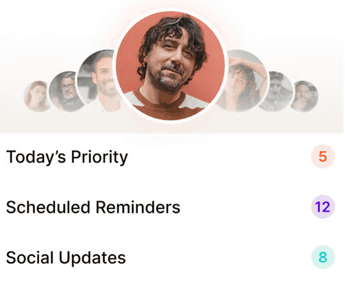
A networking CRM is a tool built for professionals whose revenue depends on their network and who they know. It’s not a generic address book, a new contacts app or a desktop sales CRM. Instead a networking CRM is where you can see your network in a way that makes sense. Every relevant contact (not the 1000s of people you have on Linkedin), mapped with their interaction history, reminders to check-in, notes about them and so on. That’s how your network starts working for you.
Definition
A networking CRM is a relationship management system designed specifically for professionals who build revenue through their network: freelancers, consultants, agencies, headhunters, wealth managers, real estate agents. Really anyone working in professional services is probably seeing that the majority of their revenue is coming from people they know. A networking CRM helps you track contacts, log interactions, and stay in touch consistently — so warm connections turn into referrals, and referrals turn into revenue.
Purpose
The purpose of a networking CRM is to make networking a habit, not a scramble. A good one helps you:
Manage every contact from conferences, intros, and LinkedIn in one place
Stay top of mind with your network without feeling pushy or scripted
Build a reliable pipeline of warm leads and referrals. These are the leads that are cheapest and convert the most.
What a networking CRM is not:
It’s not a sales CRM which is a linear, transactional process with stages. Networking is more organic than that and building relationships takes years.
It’s NOT a system to send sequenced or AI emails to your contacts. That’s just spam and in 2026, people aren’t opening those anymore
It’s not a contacts app. AI can now unlock so much value – searchable voice notes (think “who I met who loved surfing”), automatic scheduled follow ups, social signals. Relationships need more than just a directory and a calendar.
Why Use a Networking CRM
Most professionals who work in services know that their revenue is coming from the people they know. >60% of revenue for headhunters, lawyers, marketing agencies, tech services agencies come from your network. If you’re a freelancer or a consultant, that’s 80%+.
However, most people spend their time & marketing dollars chasing cold outreach that rarely converts even after months of effort.
If your network drives value, then you need a consistent system to nurture it. That’s what’s missing. Here’s what usually happens without one.
Common Challenges
Thousands of LinkedIn connections, and no clear idea who to stay in touch with — or why
Business cards from last quarter’s conference sitting in a drawer, a bag, or a photo you never looked at again
Good intentions after meeting someone that die in a busy week
Lots of money and hours spent chasing cold leads, while warm ones quietly go cold too
No sense of where the next deal is coming from — volatility in the pipeline
How It Helps
A networking CRM cannot and should not replace the human relationship. But it can help you remember & give you a structure to make networking a habit.
Centralises every contact, note, and follow-up so nothing lives in your head
Surfaces the right people to reach out to each week, based on recency and context
Turns post-meeting notes into scheduled follow-ups automatically
Makes staying in touch a 10-minute weekly habit instead of a 3-hour quarterly project
Key Features of a Networking CRM
Here are the basic features you should expect from your networking CRM
Contact Management
Store names, roles, companies, social profiles, and context for every professional contact
Scan business cards to capture details instantly — no more typing from photos
Import existing contacts in bulk from your phone, LinkedIn, and email
Interaction Tracking
Log meetings, calls, events, and DMs against each contact
Keep a timeline of every interaction so context is always a tap away
Notes and Context
Add notes — typed or voice — immediately after a meeting, before the details fade
Capture the details that actually build relationships: what they’re working on, what they care about, mutual connections, what you promised to send
AI Bonus: Searchable voice notes
AI Bonus: Auto extraction of relevant personal details to your contact profile
Follow-Ups and Reminders
Schedule follow-ups for the next day, next month, or “when their funding closes”
Get weekly nudges for the people who need a check-in, before the silence turns into a gap
AI Bonus: Auto extraction of follow-ups that are sent to your calendar

Tags and Segmentation
Group contacts by how they matter to your business: clients, prospects, referral partners, vendors, mentors
Filter by event, industry, or relationship strength so you can act on the right segment quickly
Smart Insights and Automation
Get conversation starters based on your contacts’ recent LinkedIn posts or announcements
Surface natural reasons to reach out — job changes, work anniversaries, company news
How a Networking CRM Works
The best networking CRMs keep the workflow short. You’re a professional, not a data-entry clerk.
Step 1: Add Contacts
Scan a business card at an event. Import LinkedIn connections in bulk. Add someone manually after a call. A modern networking CRM should handle all three and pre-fill the fields for you.
Step 2: Track Interactions
After every meaningful conversation — a meeting, a call, a quick exchange at an event — drop in a note or a voice memo. AI can pull out the follow-ups and reminders so you don’t have to structure anything.
Step 3: Get Weekly Priorities
A good networking CRM tells you who to reach out to each week — usually 5–8 prioritised names, based on recency, relationship strength, and real signals like posts or news. You stop wondering “who should I message today?” and start actually messaging.
Step 4: Reach Out With Context
Suggested conversation starters. Past notes. Full interaction history. Everything you need to send a message that lands as thoughtful, not copy-pasted.
Who Should Use a Networking CRM
Anyone whose income, career, or business depends on being top of mind with the right people. In practice, that’s a lot of us.
Freelancers and Consultants
Your pipeline is your past clients, their referrals, and the warm network around both. A networking CRM turns that informal system into a real one — without adding overhead.
Agencies and Small Business Owners
Most new business for a marketing agency, design studio, or boutique firm comes from relationships. A networking CRM helps partners and senior team members stay close to the people who bring in the next project.
Executive Recruiters and Headhunters
Boutique executive search runs on long relationships with a small number of hiring CXOs. A networking CRM keeps the softer personal details — the stuff the ATS doesn’t capture — and surfaces signals like job changes or hiring posts, which are often the best moment to reach out.
Wealth Managers and financial advisors
The best wealth advisors know that client relationships are for life. It requires long periods of engagement and building trust before someone will work with you or scale up the portfolio they are sharing with you.
Real Estate Agents
Past clients and local referrals are the best source of listings and buyers. A networking CRM keeps that community warm long after the closing paperwork is signed.
Conference-Goers and Community Members
BNI, Rotary, trade shows, industry conferences — the value of these is almost entirely in the follow-up. A networking CRM turns a stack of cards and a handful of DMs into a structured follow-up system.
Networking CRM vs Traditional CRM
Networking CRMs are completely different from traditional CRMs.
Focus
Networking CRM: Relationships, referrals, long-term trust, warm introductions
Traditional CRM: Deal pipelines, opportunities, quotas, forecast accuracy
Who It’s Built For
Networking CRM: Individuals and small teams who own their own networks
Traditional CRM: Sales teams with shared pipelines, territories, and stages
How You Use It
Networking CRM: Mobile-first, quick capture, used on the go — in a taxi after a meeting, at a conference, between calls
Traditional CRM: Desktop-heavy, configured once, admined by someone in RevOps
Benefit
Networking CRM: Referrals, repeat business, warm intros, a network that stays alive
Traditional CRM: Pipeline reports, forecast dashboards, conversion metrics
Benefits of Using a Networking CRM
A networking CRM helps you stay connected, build stronger relationships, and turn your network into real opportunities. Instead of inconsistent follow-ups and missed chances, it creates a simple system for warm referrals, better conversations, and consistent networking.
More Warm Referrals
Warm referrals from your network are a function of people remembering you & what you do AT the moment that someone asks for a recommendation. There’s no substitute for a good relationship to earn that referral. Bonus? Warm referrals significantly outperform cold leads on cost, conversion and value. A networking CRM makes sure you’re remembered by the people who matter.
Consistent, Not Sporadic, Networking
Most professionals network in bursts — after a conference, when business is slow, or when they need a favour. A networking CRM smooths that out into a weekly rhythm, which is what actually builds a reputation for being great to know.
Better Conversations, Less Awkwardness
When every message starts with context — what they just posted, what you discussed last time, what’s going on in their world — reaching out stops feeling like work.
Less Mental Load
You stop trying to hold a thousand relationships in your head. The system does the remembering so you can focus on the conversation.
Best Practices for Using a Networking CRM
The tool matters less than the habits. Here’s what works.
Capture Immediately
The best time to add a contact is thirty seconds after meeting them. Scan the card, leave a voice note, move on. If you wait, the detail you wanted to remember is already gone.
Follow Up Within 48 Hours
The first follow-up after a meeting is the highest-leverage moment in the entire relationship. A networking CRM should queue that up automatically.
Schedule the Next Touchpoint Now
Every time you finish a conversation, schedule the next one. Future-you will not remember. Future-you will be grateful.
Review Weekly
Ten minutes a week is enough. Look at who you haven’t spoken to. Pick five. Reach out. That’s the whole system.
Let Signals Drive Outreach
When someone gets promoted, announces a raise, or posts about a launch — that’s the moment to reach out. A good networking CRM surfaces those moments so you can act on them.
Why Regards Is the Networking CRM Professionals Actually Use
Regards was built for nurturing a professional network. It’s a networking assistant designed around how professionals actually work: on their phone, between meetings, in short bursts.
Scan a business card and Regards extracts every field. Leave a voice note and the AI pulls out the follow-ups and reminders. Every week, you get a prioritised list of 5–8 people to reach out to, with suggested conversation starters pulled from their recent LinkedIn activity. It fits into your workflow instead of asking you to build one.