
A personal CRM app is what a personal CRM looks like when it actually lives in the place you’ll use it: your phone. It’s where you scan a business card, drop a voice note after a meeting, and get a nudge when it’s time to follow up — all in under a minute.
Definition
A personal CRM app is a mobile tool for managing your personal and professional relationships. It stores contact details, logs your interactions, and keeps you on top of follow-ups, so your network becomes something you actually maintain — not something you feel guilty about every few months.
Purpose
The purpose of a personal CRM app is to turn staying in touch into a lightweight, mobile habit. It helps you:
Organise every contact in one place, no matter where you met them
Track your conversations so nothing important disappears into a thread
Maintain relationships consistently — the way you always meant to
Why Use a Personal CRM App
The truth is, relationships don’t fade because people stop caring. They fade because there’s no system. A personal CRM app is that system.
Common Challenges
Contacts scattered across LinkedIn, your phone, Gmail, WhatsApp, and an old “Networking” spreadsheet
Good intentions to follow up that slowly become “too awkward now”
No interaction history, so every message starts from scratch
Maintaining dozens of relationships from memory — which nobody can do well
Key Advantages
Centralised contact data that’s searchable in two taps
Follow-up reminders so nothing slips through, even during busy weeks
Interaction tracking so you walk into every conversation with context
Less manual effort — AI does the data entry so you can focus on the conversation
Key Features of a Personal CRM App
A good personal CRM app keeps things simple on the surface, and smart underneath.
Contact Management
Store names, roles, companies, emails, phone numbers, and links in clean, structured records
Import contacts from your phone, LinkedIn, Gmail, or a CSV — no copy-pasting required
Scan a business card and let the app extract every field automatically
Interaction Tracking
Log calls, meetings, messages, and voice notes against each contact
See a full timeline of your relationship, from the first coffee to the most recent DM
Notes Management
Add notes per contact — personal, professional, or somewhere in between
Capture what matters: their company, their family, what they’re working on, what you promised to send them
Reminders
Follow-up alerts for check-ins, intros, and “ask how that launch went”
Event and date reminders: birthdays, work anniversaries, client renewals
Tags and Segmentation
Categorise contacts however you actually think: clients, prospects, referrers, mentors, conference friends
Filter groups in seconds when you need to reach out to a specific segment
How a Personal CRM App Works
The flow is designed to take seconds, not sessions.
Add Contacts
Enter someone manually, scan their business card, or import your existing contacts in bulk. Most people do a one-time import up front and add new people on the fly.
Track Interactions
After a call or meeting, open the app and drop in a note — or just leave a voice memo. A good app will transcribe it, extract the follow-ups, and attach everything to the right contact automatically.
Set Reminders
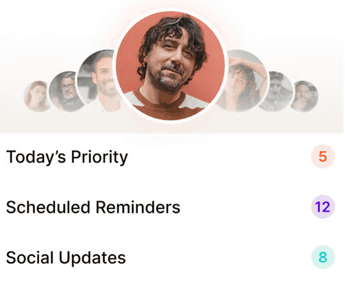
Schedule the next touchpoint before you forget. Most people find a weekly “who should I reach out to this week” prompt is all they need to stay ahead.
Who Should Use a Personal CRM App
If you depend on relationships for revenue — or just want to be someone who stays in touch — this is for you.
Freelancers
Clients you worked with a year ago are the easiest ones to win back. A personal CRM app makes sure you actually do that, instead of just thinking about it every quarter.
Founders
Early investors, design partners, first hires, future investors — the people around your company are as important as the company itself. Tracking them on a phone app means you don’t lose touch when things get busy. And things are always busy.
Professionals
Careers are built on networks, but networks decay quickly. A personal CRM app is how you maintain one without it feeling like a second job.
Individuals
Some people just want to remember that a friend’s kid has a recital next week. That’s a perfectly good reason to use one.
Personal CRM App vs Traditional CRM
They’re easy to mix up. They aren’t the same thing.
Focus
Personal CRM App: Relationships, people, context, long-term trust
Traditional CRM: Sales pipelines, deals, opportunities, revenue forecasts
Complexity
Personal CRM App: Simple, mobile, fast — built for one person
Traditional CRM: Feature-heavy, desktop-first, usually needs a team and an admin to run it
Usage
Personal CRM App: Individual use — your network, your rules
Traditional CRM: Team use — shared pipelines, reporting, territories
Benefits of a Personal CRM App
A personal CRM app helps you stay organized, follow up consistently, and build stronger professional relationships without the manual effort. Here are some key benefits that make networking smarter, easier, and more effective.
Relationship Management
Consistent communication that doesn’t rely on willpower
Better engagement because every conversation starts with context
Productivity
Less manual tracking — the app does most of the admin
Faster access to data when you’re about to walk into a meeting
Organisation
Centralised information instead of five half-used apps
Structured data that’s easy to search, filter, and back up
Opportunities
Stronger connections lead to more referrals
Better referrals convert faster, cheaper, and at higher rates than cold leads
Best Practices
Using a personal CRM app works best when it becomes part of your regular routine, not just something you open occasionally. Here are a few simple best practices to help you stay consistent and get the most value from it.
Regular Updates
Add a note after every meaningful interaction. One line is enough. If typing feels like friction, record a voice memo — the app should handle the rest.
Reminder Usage
Schedule the next follow-up as soon as you finish the current one. This one habit, more than anything else, separates people who stay in touch from people who wish they did.
Contact Segmentation
Tag people the way you think about them. Keep it simple. Five tags beats fifty.
Weekly Review
Once a week, spend ten minutes reviewing who you haven’t spoken to in a while. Pick five. Reach out to them. That’s the whole habit.
Why Regards Is the Personal CRM App Built for How You Actually Work
Most CRM apps are sales tools shrunk down to phone size. Regards is the opposite — it was built mobile-first, for one person, for exactly this job.
Scan business cards and Regards pulls out every detail. Leave a voice note after a meeting and the AI extracts the follow-ups. Every week, you get a short, prioritised list of 5–8 people to reach out to, with suggested conversation starters based on what they’ve been posting on LinkedIn. No dashboards. No pipelines. No admin. Just a calm, consistent way to stay in touch with the people who make your work possible. See how it works at regardsapp.ai

