
Customer management has always been central to how any business survives and grows. Especially for a small business, a CRM plays a crucial role in shaping its growth journey. That’s why taking a thoughtful approach while selecting a best-fit CRM makes a real difference in the long run.
If you know what features you actually need and keep that clarity handy, choosing the right CRM solution becomes far less stressful. In many ways, it’s like doing the heavy lifting at the beginning, so you can enjoy smoother and better outcomes as the business grows.
That’s exactly what this blog is about. It lists a clear feature inventory that can pave the way for long-term CRM success.
Key Takeaways:
|
|---|
Top Pick CRM Features for Small Businesses:
1. Ease of use & intuitive interface (non-negotiable)
A small business needs a breezy CRM experience that isn’t demanding, right from setup through long-term use. These processes shouldn’t come with endless onboarding calls, intensive staff training, or constant admin work attached.
In practical terms, this means:
Completing setup in a few clicks
Drag-and-drop actions
Interfaces familiar to Gmail and social apps
Minimal tabs and clear fonts
Clean, clutter-free design
These features allow you to start using the CRM from the same day you sign up.
Go-to tools for this feature: HubSpot for its intuitive design, and Regards for its extreme simplicity. |
|---|
2. Easy contact import
Contact uploading or importing is the entry-level task in any CRM system. For many small businesses, moving contacts from spreadsheets is already a laborious step, so the CRM they choose should make this transition lighter and smoother.
Checklist to assess import experience:
Free API for contact import
Contact management
Robust storage space
3. Seamless integrations across calendar and communication channels
In the early stages of a small business, communication and appointments are everything. An effective CRM should simply keep email, calls, social profiles, and calendars connected in the background.
Features that make this possible:
Two-way email sync
Click-to-call feature
Calendar management
Appointment scheduling
Social media sync
Go-to tools: HubSpot supports strong email and calendar integrations. Regards is known for its seamless LinkedIn integrations. |
|---|
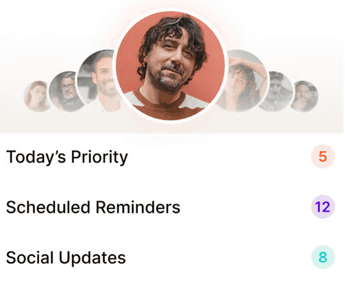
4. Reminders and follow-ups
Small businesses survive on prompt responses, tight deadlines, and timely delivery. Zero-friction tracking is what enables a small business to stay on track and avoid things slipping through the cracks.
Enabling features:
Follow-up reminders
Notifications and alerts
Conversation dashboards
Sales tracking
Go-to tools: Pipedrive and Zoho are widely reviewed for having reliable reminder and follow-up features. Regards makes follow-ups feel natural and smooth. |
|---|
5. Flexible workflows designed for small business reality
In a small business setup, one person often handles sales, support, follow-ups, and sometimes even finance, all in the same day. The best CRM software should fit into how the business already operates, without forcing people to adapt to rigid workflows.
Features and capabilities that support this:
Customizable workflows
Flexible pipelines
Easy team access
Minimal mandatory fields
Scaling without re-setup
Go-to tool: Regards comes with simple prompts and ready-to-act next steps, making workflows feel clear and non-intimidating from day one. |
|---|
6. Simple yet powerful dashboards
Reporting and analytics shouldn’t add one more heavy task to the already long to-do lists of small businesses. A CRM should surface reports, alerts, trackers, and forecasts in the simplest possible way.
What to look for in a CRM dashboard? | |
|---|---|
✔️✔️✔️ | ❌❌❌ |
|
|
Feature labels to look out for:
Dashboards and overviews
Sales and activity tracking
Reports, forecasts, and notifications
Trackers and alerts
Go-to tools: Zoho and HubSpot - for their easy dashboards, flexible reporting, easy setup. |
|---|
7. Relationship intelligence beyond contact storage
Marketing today has moved far beyond formal communication. People connect more with businesses and founders who make them feel, “this brand knows me.” That feeling doesn’t come from automation, but from memory and context.
For a small business, this means knowing who someone is, how you know them, and where the conversation currently stands, along with a few human details to make the interaction feel real.
Features that make this possible:
Notes & activity history
Customer segmentation
Customization and personalization
Context memory
Interaction timelines
Undisputed winner for relationship intelligence:
Regards is designed with relationship intelligence at its core, making it easier to remember people as people, not just records.
Pro Tip for choosing CRM features: A small business CRM should nudge its users to stay in touch even when there’s no immediate deal. Such features will help businesses stay relevant, remembered, and familiar over time. |
Bottom line: Choosing the right CRM features for small businesses
While selecting your CRM, prioritize principle-led features that help you stay organized, meet specific needs, remember people, follow up consistently, and build trust over time. When chosen well, these features make the CRM feel less like software and more like a reliable extension of how you already work.

Why we built Regards
I’m bad at staying in touch. Not because I don’t value people. Its a lot of work, and I didn’t have a system. This started as my fix. A quiet assistant that helped me nurture relationships thoughtfully. When people noticed the difference and asked what I was doing, it slowly evolved into a product. And the love has been incredible. Regards, Khuze

Frequently Asked Questions
How should a small business choose and prioritize CRM features?
To choose the right CRM, start by listing your most important daily tasks and prioritizing features that directly support them. Focus on tools that reduce effort—like easy setup and automated reminders—and use free trials to see which ones actually fit your workflow. For every feature you consider, ask yourself if you will realistically use it every week; if the answer is no, deprioritize it. Finally, select a platform that masters the basics today while offering the scalability to grow with you later.
Is automation really a must-have feature in a small business CRM?
Automation is a good-to-have, not a must-have. In a small business setup, automation should bring ease and simplicity, not additional learning curves. It becomes a win only when it genuinely saves time, rather than adding another system to manage.
What features are absolutely essential in CRM tools for small businesses?
Four essential features for any small business CRM include an intuitive interface that is easy to use, relationship intelligence that remembers context, flexible workflows you can customize, and simple dashboards that provide clear overviews.
Can CRM features be customized to suit a small business setup?
Yes. Most CRMs today allow customization of features like workflows, pipelines, and views. A small business can customize what details to track, how follow-ups should work, and which screens matter for their day-to-day work.