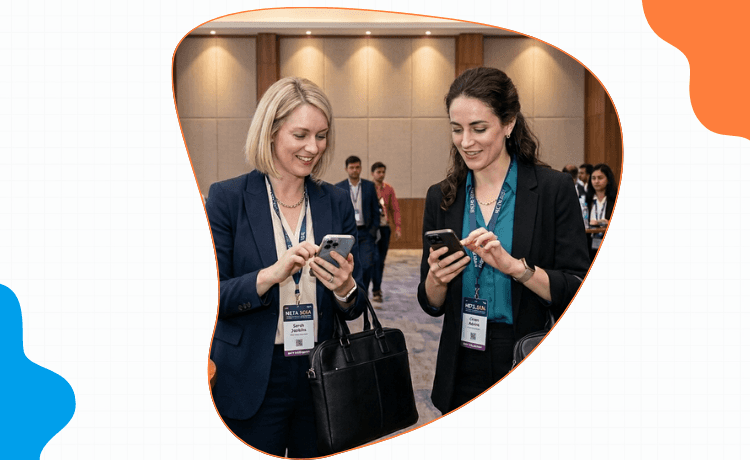
If you've spent two days at a conference, paid for flights and a hotel, and come home with a stack of cards that sat in your laptop bag for three weeks, you know the problem. The trip wasn't wasted at the conference. It was wasted in the seven days after.
A real conference networking app fixes that gap. This guide tells you which kind of conference app to use, where the event-specific ones break, and what to actually do at the badge desk.
Key takeaways• There are two kinds of conference networking apps: event-specific and personal. Most people stack them wrong. • Event-specific conference apps die when the event ends. Your contacts shouldn't live there. • A personal conference networking app travels with you across events and handles capture, follow-up, and signals in one place. • The seven days after a conference are the actual event. Plan tooling around that, not the three days during. |
Why most conference attendees waste their trips
Three patterns:
Cards collected but never digitized — the stack of paper sits in a laptop bag for three weeks, then gets thrown out.
Notes never captured — by Friday, you can't remember which conversation went with which contact.
Follow-ups never sent — the first message is supposed to go on day one. By day eight, the warm window is closed.
All three failures share the same cause: the right networking app for events isn't in place before the conference starts.
The two types of conference networking apps
Event-specific apps
The Bizzabo, Cvent, Whova, Sched, and event-organizer-built mobile apps. They handle schedules, session bookings, in-app messaging, the floor map, and (sometimes) the attendee directory.
Useful during the event. Almost useless after.
Personal networking apps that travel with you
A personal conference networking app you bring to every event. It handles scanning, voice notes, follow-up cadences, and signals. The contacts live there permanently, across years and across conferences. Regards is one of these. So is a personal CRM with conference workflow built in.
Limits of event-specific conference apps (data dies after the event)
Three limits:
Data lock-in. Contacts you make in the event app rarely export cleanly to a CRM. By the next conference, the previous data is gone.
No follow-up workflow. Event apps end at the event. There's no day-3 value-add reminder, no day-7 calendar invite prompt.
No long-tail signals. The CMO you met in March who got promoted in August won't surface — the event app stopped watching the moment the event ended.
What a personal conference networking app should do
Scan business cards at the badge desk
Snap, scan, contact saved. Voice note attached with the context ("sat next to me at the lunch session, mentioned partnership opportunity"). Batch mode so you don't break the conversation.
Capture voice notes between sessions
Walking from one session to the next, dictate 15 seconds about the conversation you just had. The AI extracts the names, the company, the follow-up. By the end of day one, you have 20 captured conversations instead of 20 blurry memories.
Queue follow-ups automatically
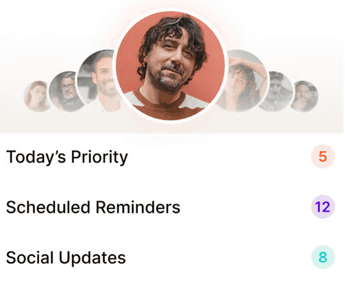
Every scanned contact gets a day-1 reminder. Every voice note with a date gets a calendar entry. The seven-day follow-up cadence runs without you having to remember.
Share your one-pager in one tap
A digital briefcase — your one-pager, your case studies, your intro deck, your booking link — sharable to a new contact in one tap right after a conversation. They walk away with the materials. You don't email them later.
The hybrid conference networking stack
The right setup for most attendees:
Use the event-specific app for the schedule, sessions, and any organizer-driven in-app messaging.
Use your personal conference networking app (Regards, in our setup) for every contact, voice note, follow-up, and signal.
Connect to LinkedIn after the event ends, so new contacts are enriched and you can monitor them long-term.
Two apps, clear separation. The event app handles the event. The personal app handles your career.
Top conference networking apps compared
Tool | Scope | Lives past event | Follow-up workflow | Best for |
Regards | Personal app, every event | Yes — contacts persist | Built-in 7-day cadence + voice notes | Best fit for revenue-driven conference attendees |
Bizzabo / Whova / Cvent | Event-specific | No | None | Schedule + in-app chat during the event |
Cross-event | Yes | Manual | Connecting + light follow-up | |
HiHello | Cross-event | Yes | Light | Digital card exchange |
Dex | Personal app | Yes | Reminders, no priority engine | Desktop-based follow-up |
Spreadsheet | Cross-event | Yes | None | Lightweight, breaks at 200 contacts |
What to do at the badge desk with your conference app
Three habits that separate the people who waste trips from the people who don't:
Open the app on the flight in. Tag a fresh "event: [conference name]" so everyone you meet lands grouped.
After every meaningful conversation, scan or voice-note before you walk five feet. The capture decay is brutal.
On the flight home, review the day-1 follow-up queue. Send the easy ones from the airport.

Why we built Regards
I’m bad at staying in touch. Not because I don’t value people. Its a lot of work, and I didn’t have a system. This started as my fix. A quiet assistant that helped me nurture relationships thoughtfully. When people noticed the difference and asked what I was doing, it slowly evolved into a product. And the love has been incredible. Regards, Khuze
Frequently Asked Questions
Do I really need a conference networking app if the event has its own app?
Yes. The event app handles event logistics. Your contacts and follow-ups need to live somewhere permanent.
What if everyone uses digital cards now?
Most conference networking apps handle digital and paper cards in one inbox. The follow-up workflow is the same either way.
How many cards can I realistically capture in a day?
With voice notes and batch scanning, 30-50 meaningful conversations a day is achievable. Without a system, 5-10 is the cap before quality breaks down.
Should my whole team use the same conference networking app?
Yes — especially if you're sharing booth duty or covering multiple sessions. Shared contacts and follow-up visibility prevent duplicate outreach.