

The best CRM for freelancers isn’t a sales pipeline or a project management tool — it’s a lightweight relationship manager that helps you stay visible between projects, get more repeat business, and generate referrals from the clients who already love your work.
If you’re a freelancer, your business grows in two ways: new clients find you, or existing clients come back (and bring friends). The second path is dramatically cheaper, faster, and more reliable. And it requires one thing you might not have: a system for staying in contact when there’s no active project to tie you together.
Key Takeaways
|
|---|
The Freelancer’s Client Relationship Problem
Here’s a pattern that’s painfully common in freelancing:
You deliver great work. Client is happy. Project closes. You both say “let’s definitely work together again.” Then… six months pass. A year. The client has a new project and hires someone they heard about more recently, because you became a memory.
This isn’t a quality problem. It’s a visibility problem. And the solution isn’t better marketing — it’s a better relationship system.
Most freelancers treat their client list like a passive record of completed work. A CRM changes it into an active list of relationships to maintain — with reminders, context, and a clear picture of who needs a touchpoint.
What Freelancers Actually Need in a CRM
Enterprise CRM tools are built for sales teams with pipelines, forecasts, and manager dashboards. You don’t need any of that. Here’s what a freelancer CRM needs to do:
Store client context. When did you work together? What did they hire you for? What were their goals? What do they care about? This context is what makes your follow-up feel personal instead of generic.
Remind you to reach out. The CRM should surface clients on a cadence — “you haven’t spoken to [client name] in 8 weeks” — and prompt a genuine check-in before too much time passes.
Capture contacts in the moment. You meet potential clients at events, on calls, through referrals. You need a quick way to capture them with context before the moment passes.
Work on your phone. Freelancers aren’t desk-bound. The best CRM for freelancers is one you’ll actually use on the go.
Be affordable for one person. Enterprise CRM pricing starts at $50–100/month per seat. Freelancers need something in the $10–20/month range — or free.
The Best CRMs for Freelancers in 2026
The best CRMs for freelancers in 2026 focus on simplicity, automation, and affordability, helping manage clients, track leads, and streamline follow-ups without added complexity.
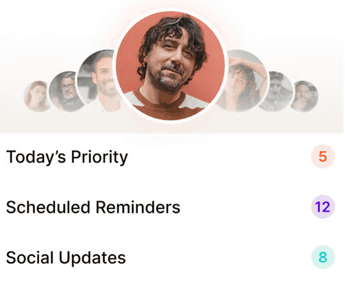
1. Regards — Best Overall for Freelancers
Regards is a personal CRM built for independent professionals — the exact audience that enterprise tools ignore. It’s mobile-first, lightweight, and designed around relationship maintenance rather than sales pipeline tracking.
For freelancers specifically, here’s how it works:
After a project closes: Add a note to the client’s record about what you delivered, what they were happy with, and when a good check-in window might be.
Weekly nudges: Regards shows you which clients haven’t heard from you recently, so you can send a quick, personal check-in.
Voice notes: Drop a quick audio note after a call instead of typing. Regards transcribes it automatically.
Event capture: Scan a business card at a networking event and drop a voice note about the conversation — so you have context for your follow-up.
2. Notion (DIY CRM)
If you’re a Notion power user, you can build a reasonably functional freelancer CRM using a database with custom properties. The flexibility is real; the discipline required to maintain it is also real. Notion won’t remind you to follow up — you have to build that logic yourself.
Best for: Freelancers who love building systems and already live in Notion.
3. HubSpot Free
HubSpot’s free CRM tier is genuinely useful for freelancers who do a lot of email outreach. It logs email opens, tracks contact timelines, and has a functional pipeline view. The catch: it’s designed for a sales process, not a relationship maintenance process.
Best for: Freelancers with an active new-client pipeline who want email tracking.
4. Dex
Dex focuses on LinkedIn integration — pulling your interaction history from LinkedIn into an organized timeline. For freelancers whose client relationships primarily exist on LinkedIn, it’s solid. For freelancers who do a lot of in-person networking, it’s limited.
Best for: Freelancers who source most clients through LinkedIn.
How to Set Up Your Freelancer CRM in Under an Hour
Step 1: Add your current and past clients. Go back at least two years. Every client you’ve delivered work for is a potential source of repeat business or referrals.
Step 2: Add context to your top 15. For your most valuable past and current clients, add: what did you work on together, what were the results, what did they value most about the work, and any personal details you remember.
Step 3: Segment by likelihood to return. Tag clients as “high repeat potential,” “medium,” or “low” based on project size, relationship quality, and likelihood they have ongoing needs.
Step 4: Set follow-up cadences. High repeat potential: check in every 6–8 weeks. Medium: quarterly. Low: once or twice a year with a light touch.
Step 5: Build the capture habit. After every meeting, call, or event interaction, open Regards and add a 30-second voice note. After every closed project, add a project summary note to the client record.
What to Say When You Follow Up With Past Clients
The fear that holds most freelancers back from consistent follow-up is the worry that they’ll seem desperate or sales-y. Here’s the reframe: you’re not pitching. You’re maintaining a relationship.
The genuine check-in: “Hey [name], it’s been a few months since we finished our work together. Wanted to check in and see how [project we worked on] has been going.”
The relevant share: “I just came across this article about [their industry/challenge] and thought of you — figured you’d find it useful.”
The milestone acknowledgment: “Saw that [their company] just [launched/hit a milestone] — congratulations! That’s exciting to see.”
: “I have a bit of capacity
The direct reconnect opening up in [month] and you came to mind. Any chance you have projects on the horizon that might be a fit?”
The Referral Flywheel for Freelancers
Here’s the compounding effect that consistent relationship maintenance creates for freelancers:
When you stay in regular contact with your best past clients, two things happen. First, when they have a new project, they call you instead of posting to a job board. Second, when someone in their network asks “do you know anyone who does [your specialty]?” — they think of you immediately, because you’ve been showing up consistently.
This is the referral flywheel. It doesn’t require a big network or a large following. It requires showing up for the relationships you already have, on a consistent cadence, in a genuinely personal way.
Related reading: CRM for Solopreneurs · A Practical Guide to Getting More Referrals · How to Stay in Touch With Clients

Why we built Regards
I’m bad at staying in touch. Not because I don’t value people. Its a lot of work, and I didn’t have a system. This started as my fix. A quiet assistant that helped me nurture relationships thoughtfully. When people noticed the difference and asked what I was doing, it slowly evolved into a product. And the love has been incredible. Regards, Khuze

Frequently Asked Questions
What is the best CRM for freelancers?
The best CRM for freelancers in 2026 is Regards — lightweight, mobile-first, and built for individual professionals who grow through relationships rather than sales pipelines. It combines proactive follow-up reminders with voice note capture and business card scanning, making it practical for freelancers who work on the go.
Do freelancers need a CRM?
Yes — if you want to grow through repeat business and referrals rather than constantly acquiring new clients. A CRM ensures you stay in touch with past clients consistently, captures context that makes follow-up personal, and surfaces the right relationships at the right time so nothing falls through the cracks.
How do freelancers manage client relationships?
The most effective freelancers use a lightweight personal CRM to track client history, set follow-up reminders, and capture context from conversations. After each project closes, they log a summary of the work and set reminders at 30 days, 60 days, and 6 months — the windows when repeat business is most likely.
What should a freelancer look for in a CRM?
Freelancers need: contact context (project history, relationship notes), proactive follow-up reminders (not just a log of past actions), mobile access (so it works outside the office), quick contact capture (voice notes or card scanning), and individual pricing (not per-seat team pricing). Enterprise tools like Salesforce check none of these boxes for a solo professional.
How often should freelancers follow up with past clients?
High-value past clients: every 6–8 weeks with a genuine personal touchpoint. Medium-value clients: quarterly. Lower-priority contacts: once or twice a year. The cadence matters less than the consistency — showing up every 8 weeks reliably is worth far more than an intensive burst followed by six months of silence.