

Most people who buy a personal CRM never finish setting it up. They start on a Sunday afternoon, get halfway through importing contacts, hit a Slack notification, and the tab stays open until Tuesday when they close it.
The setup is supposed to be the easy part. This personal CRM setup guide walks through the full version in 30 minutes — one sitting, no spread-out cleanup, no over-engineering. By the end you'll have a system that actually runs.
Key takeaways• You should learn how to set up a personal CRM in one 30-minute sitting, not over weeks. • Start with your objective and the categories of people you want in the system — then import. • Tag your top 100 by tier, set cadences, dictate ten voice notes from memory, schedule a weekly review. • Turn on social listening and the daily priority list before you close the tab. |
Why you should set up your personal CRM in one sitting, not over weeks
A personal CRM setup guide that says "do this over four weekends" is a personal CRM setup guide you'll abandon by weekend two. The friction kills the habit.
Getting started with a personal CRM in one sitting forces you to make the simpler decisions: top 100 contacts, not 1,800. Five tags, not twenty. One weekly review, not six. The simpler version is the one that survives.
What you need before you start
Three things:
30 minutes — calendar block it, close Slack, put the phone on do-not-disturb.
Your phone — for voice notes and to install the mobile app.
A LinkedIn export (optional but useful) — settings > Data privacy > Get a copy of your data. Takes 10 minutes to arrive.
How to set up a personal CRM in 30 minutes: the 8-step plan
Step 1: Define your objective with your network (2 min)
Before you import anything, write down what you actually want from your network this year. Three common objectives:
More repeat and referral business from people who already know me.
Stay close to past clients/candidates so I'm the call they make when they hire.
Build a reputation in a community (BNI, an industry circle, conferences) that generates inbound.
Your objective determines who you bring in. Skip this step and you'll import 1,800 contacts and tag none of them.
Step 2: Map the categories of people you want to pull in (3 min)
Based on the objective, list the categories. Most people land on some combination of:
Past clients — anyone who's paid you
Advisors and mentors
People you'd like to work with (dream prospects)
Referral partners — designers, lawyers, accountants, fractional execs whose clients are yours
People from your networking groups (BNI, Rotary, industry chapters)
Recent conference contacts
Peers — people at your level worth keeping warm
This list is the personal CRM onboarding shortlist. Everyone else can come in later.
Step 3: Import contacts from LinkedIn, phone, Gmail, spreadsheet (5 min)
Use the bulk imports. LinkedIn first (the broadest source), then phone contacts, then Gmail, then any spreadsheets you keep. The personal CRM will dedupe across them.
Don't worry about cleaning anything. The point is to get the data in.
Step 4: Tag your top 100 by tier (10 min)
Sort by the categories you mapped in Step 2. Tag the top 100 across all of them:
Tier A — top 20 names, the ones who define your business
Tier B — next 50, important but not daily
Tier C — next 30, broader network
Add category tags on top (past client, referral partner, BNI, conference, etc.). Anyone you can't decide on stays untagged. You're not auditing your network. You're getting started.
Step 5: Set reminder cadences by tier (3 min)
Default cadences that work for most people:
Tier A: monthly
Tier B: quarterly
Tier C: twice yearly
Referral partners: quarterly (separate template style)
Override on individual contacts later. Don't agonize now.
Step 6: Add your top 10 voice notes from memory (5 min)
The last ten meaningful conversations you've had — clients, advisors, conference connections, referral partners. Pull up each contact, hit record, dictate 15-30 seconds about what you talked about and what you owe them. The AI extracts follow-ups and context.
This is the step that makes the personal CRM feel real. Day one feels different from a contact list.
Step 7: Schedule your weekly review (1 min)
Block 30 minutes every Friday morning. The review is two questions: who did I miss this week, and who do I want to make sure to talk to next week?
The recurring calendar block is what turns the system from a tool into a habit.
Step 8: Turn on social listening and the daily priority list (1 min)
Two switches in settings:
Connect LinkedIn — turn on real-time social listening so promotions, job changes, hiring posts, and milestones surface across your network.
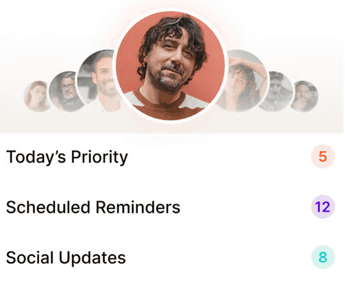
Enable the daily priority list — get a morning notification with five to eight reach-outs and a reason for each.
With these on, the system runs without you having to remember to open it.
The personal CRM setup mistakes to avoid
Trying to tag every contact. Top 100 is the bar; anything more is procrastination.
Building a 20-tag taxonomy. Five tags do most of the work. Stop there.
Skipping the voice notes step. Without context, the contact card is just a name.
Not scheduling the weekly review. The recurring block is what makes adoption stick.
Leaving social listening off. The signals are half the value of an AI personal CRM.
What your personal CRM should feel like in week one
By day three, the daily priority list should feel useful — not noisy, not empty. You should be sending two or three reach-out messages a day.
By day five, you should be dictating voice notes after meetings without thinking about it.
By day seven, the Friday review should feel like a small ritual, not a chore. If it doesn't, the cadences or the tagging are off. Adjust.


Why we built Regards
I’m bad at staying in touch. Not because I don’t value people. Its a lot of work, and I didn’t have a system. This started as my fix. A quiet assistant that helped me nurture relationships thoughtfully. When people noticed the difference and asked what I was doing, it slowly evolved into a product. And the love has been incredible. Regards, Khuze

Frequently Asked Questions
Can I really finish a personal CRM setup in 30 minutes?
Yes, if you stick to the top 100 and skip the urge to clean everything. The full network can grow over weeks.
What if I don't have a LinkedIn export?
Skip it. Start with phone contacts and Gmail. The LinkedIn import can come in week two.
Do I need to set cadences for every contact?
No. Tier-level cadences cover the default; override individual contacts only when there's a real reason.
What about cleanup of duplicate contacts?
The personal CRM handles deduplication at import. Anything that slips through, you'll catch in the weekly review.