As a consultant, I couldn’t believe that we’re in 2026 and I’m still tracking my contacts across my phone contacts app and a spreadsheet. I knew there had to be a better way so I found and tested the best contact management apps that outperform your phone and address book.
Some of the things I was looking for
Designed for small business owners or solopreneurs, NOT enterprise systems
AI native features that add real value
I believe that managing your professional contacts shouldn't require a full CRM or marketing platform. The best contact management apps should help you remember who you met, what you talked about, and when to follow up—without the bloat.
Key Takeaways:
|
|---|
What to Look for in a Contact Management App or Personal CRM in 2026
Skip the enterprise features. Here's what actually matters to manage your contacts:
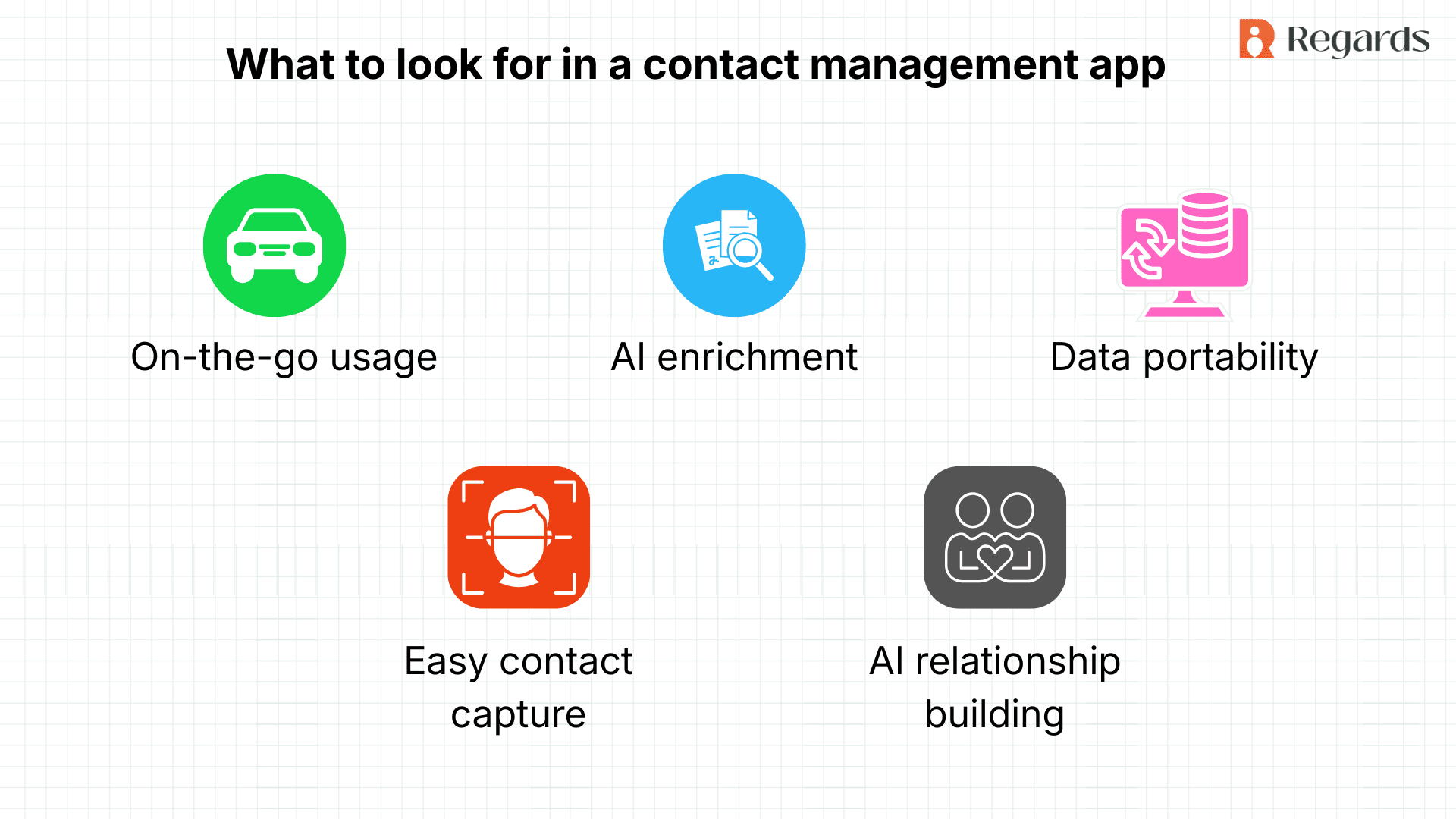
On-the-go usage
Be available on mobile! Few of us want to manage contacts from our desktop
Easy Contact Capture and Organization
Adding contacts into your system should be effortless:
Business card scanning that extracts information instantly
CSV import/export for moving your contact database seamlessly
Bulk contact uploads from phone contacts or Linkedin that preserve your organization
Tagging system that allows you to create networks
Voice notes for quick context capture
Contextual search that finds contacts by any detail
AI-Powered Intelligence and Enrichment
Modern contact apps use AI to help you learn more and add context:
AI data enrichment that fills in contact details, job titles, and company information automatically
Social listening that alerts you to job changes, company updates, or other relevant triggers
Turning contacts into relationships
Your contact app should help you stay in touch with the people who matter.
AI to automate and set reminders based on your notes and interaction patterns
Smart conversation starters that suggest personalized talking points based on recent news or shared interests
Bulk email capability for group updates
Integrate with your email & messages for interaction history
Data Portability
Never get locked into a platform:
Easy export of contact records in standard formats
Integrate with your existing tools
API access for custom integrations
The Top Free Contact Management Apps for 2026
Rank | App | Best For | Free Plan Limit | Key Strength | App Store Rating |
1 | Regards | Solopreneurs and professional who rely on relationships for revenue and referrals |
|
| 5 |
2 | Dex | Personal contact management |
|
| 4.2 |
3 | Clay | Contact organization for sales people |
|
| 4.4 |
4 | HubSpot CRM | Mid-size teams needing shared contact management |
|
| 4.7 |
5 | Zoho CRM | Integration with other Zoho tools |
|
| 4.3 |
Detailed Feature Comparison of contact management software
Here's how these apps stack up on features that matter for you to manage your contacts:
Feature | Regards | Dex | Clay | HubSpot CRM | Zoho CRM |
Business Card Scanning | ✅ | ✅ | ❌ | ✅ | ✅ |
Easy contact import/ export | ✅ | ✅ | ✅ | ❌ | ❌ |
Set up time <30 mins | ✅ | ✅ | ❌ | ❌ | ❌ |
Auto Tags | ✅ | ❌ | ❌ | ❌ | ❌ |
Privacy & data protection | ✅ | ✅ | ❌ | ✅ | ✅ |
AI Data Enrichment | ✅ | ✅ | ✅ | ✅ | ✅ |
AI Extraction of shared interests from notes | ✅ | ❌ | ❌ | ❌ | ❌ |
Smart Conversation Starters | ✅ | ❌ | ❌ | ❌ | ❌ |
Automated Follow-ups & reminders | ✅ | ✅ | ✅ | ✅ | ✅ |
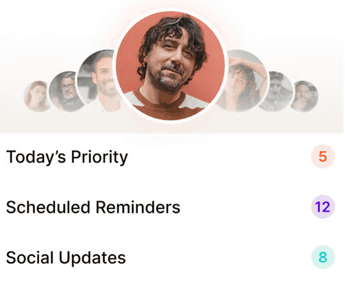
Daily networking priorities | ✅ | ❌ | ❌ | ❌ | ❌ |
Voice Notes | ✅ | ❌ | ❌ | ❌ | ✅ |
Contextual Search | ✅ | ✅ | ✅ | ✅ | ✅ |
Bulk Email | ✅ | ✅ | ❌ | ✅ | ✅ |
Why Regards is the best free contact management software
Regards takes the top spot as the one place for your contacts because it's built specifically for better contact management and relationships, not sales pipelines. I also liked that its designed for small teams or solopreneurs and doesn’t have many of the unnecessary enterprise features.
What I liked:
AI That Helps in the background: Regards is the only contact app with smart conversation starters. The AI analyzes your contacts' recent activity, shared connections, and interests to suggest personalized talking points before you reach out.
Voice Notes That Work On-The-Go: It let me capture thoughts immediately after a meeting. The Regards AI automatically generates follow-up tasks from my notes and saves reminders.
AI Automated Research: I like that when I add a contact, Regards enriches their profile with current role, company info, and recent news.
Unlimited contacts and Affordable: No contact limits was a big one. Also Regards was the most affordable contacts app.
Their reviews on reddit and the app store suggested that users also appreciated these.
What could be better:
The bulk email and marketing features are still under development hence have no had a chance to try those yet.
Now you know:
How to engage
How not to engage
And when to engage with your network.
But as your network widens, it becomes humanly impossible to do all of this manually and with laser-precision accuracy.
Traditional CRM tools are great at tracking referrals and handling large-volume interactions. But networking is a different ball game. This is where a mindset shift helps:
Stop thinking in terms of managing contacts. Start thinking in terms of supporting relationships.
The goal isn’t to ‘convert’ more. It’s to engage better in a way that feels natural, not forced. When relationships are nurtured this way, referrals follow quietly, without nudges or pressure.
Be friendly—not just a friendly salesman.
When you engage your network with relationship intelligence, referrals stop feeling like outcomes you chase. They become a by product of how you show up.
If you’re curious to explore this approach at scale, you can take a look at how Regards works. It removes the complexity of traditional CRMs and helps you drive referrals through your network with ease and grace.
Dex
What I liked:
Simple and easy to set up. Its designed as a contact management system for individuals and does the job well.
Strong reminder system that prevents contacts from "slipping through the cracks" with customizable follow-up frequencies
Browser extension makes it effortless to add contacts from LinkedIn or Twitter directly while browsing
What could be better:
The app was glitchy and difficult to use on the phone (Android especially so) App store reviews show that this is consistent with other people’s experiences.
Linkedin sync only pulls out job/ location update and does not give me input on what contacts are announcing or engaging with.
Only offers a $144 annual plan vs a monthly plan that can be cancelled!
Clay
What I liked:
Nexus AI assistant can answer questions about your contacts and help prepare for meetings with context
What could be better:
Privacy! I didn’t feel comfortable with the level of access Clay was asking for. It not only extracts contacts but also emails, meetings, messages etc which felt invasive (privacy concerns are widely shared on reddit).
It also took 10 hours to extract everything from all my accounts.
Expensive at $20/month for individual use, and free plan has very limited history/features
Choosing the Right Contact management App
Match your choice to your specific needs:
Choose Regards if you want a better contact app with AI-powered relationship intelligence, contextual search, voice notes, and smart conversation starters
Choose HubSpot CRM if you want a single tool for your team’s CRM needs and don't mind CRM complexity
Making Contact Management Effortless
The best contact management software in 2026 doesn't just store information—it helps you maintain relationships proactively. With AI handling research, and follow-up reminders, you can focus on the conversations that matter.
Stop using scattered notes, forgotten business cards, and overwhelming spreadsheets. The right contact management app like Regards, transforms chaos into a great networking plan.
Your network is your most valuable professional asset. Managing it shouldn't require a degree in CRM administration or a marketing automation certification. The tools listed here make it simple to stay organized, stay in touch, and make every interaction count.

Why we built Regards
I’m bad at staying in touch. Not because I don’t value people. Its a lot of work, and I didn’t have a system. This started as my fix. A quiet assistant that helped me nurture relationships thoughtfully. When people noticed the difference and asked what I was doing, it slowly evolved into a product. And the love has been incredible. Regards, Khuze

Frequently Asked Questions
What's the difference between a contact management app and a CRM?
Contact management apps focus on organizing relationships—remembering who you met, what you discussed, and when to follow up. CRMs add sales pipeline management, lead scoring, and marketing automation. If you're not managing a sales funnel, you need a contact app, not a full CRM.
Can I import contacts from my phone or email?
Yes. All apps on this list support CSV import, and most sync directly with Gmail, Outlook, iPhone contacts, and Android contacts. Some also connect to LinkedIn, Twitter, and other social platforms.
Do I really need AI features for contact management?
AI data enrichment automatically fills in job titles, company info, and social profiles. Smart conversation starters give you personalized talking points. AI can help you elevate your networking game.
What happens to my data if I switch apps?
You should own your contact information and can move it between platforms anytime. Before committing to any app, verify it has easy export functionality.
Are free contact management apps really free?
No, most of the AI apps offer a free trial, then require paid subscriptions.