

Everyone with a network worth managing starts the same way. A Google Sheets tab called "contacts" or "network" or, if you're being optimistic, "CRM." Columns for name, company, role, last contacted. Maybe a notes column. Maybe a tier or tag.
It works. For about three months.
This is the honest read on the spreadsheet personal CRM — where it works, where it breaks, and how to move on without losing the work you've already done.
Key takeaways
|
Why everyone starts with a spreadsheet personal CRM
Three reasons. It's free. It's familiar — you already know how to filter and sort. And the structure feels right on day one: rows are people, columns are facts, the system is yours.
For the first 30 contacts, a Google Sheets CRM is fine. For most professionals the inflection happens somewhere between 100 and 200 contacts. At that point, the spreadsheet stops being a tool and starts being a chore.
The four ways every spreadsheet personal CRM breaks
Last-contact dates that never get updated in your contact spreadsheet
The single most important field in a relationship-tracking system is "when did I last talk to this person." It's also the field that goes stale fastest in a spreadsheet personal CRM.
Why? Because updating it requires manual work after every conversation. Find the row, type today's date, save. By month two, you're updating one out of three conversations. By month four, you're not opening the sheet at all.
Unstructured notes that nobody can search
Notes columns become text dumps. "Met at the conference, talked about pricing, follow up in March" sits in a 200-character cell next to 400 other 200-character cells.
When you need to find "the person I talked to about partnership pricing at the conference in May," you scroll. You give up. You don't find them.
No proactive prompts from your Excel personal CRM
Spreadsheets are passive. They wait for you to open them. They don't tell you who to reach out to today. They don't surface a hiring post from someone you placed two years ago. They don't notice that the buyer from your last project just got promoted.
An Excel personal CRM can run a conditional-formatting rule to highlight rows with old last-contacted dates. That's the limit. There's no priority engine, no signal feed, no prompt.
Mobile editing that doesn't work on a Google Sheets CRM
The work you'd most want to record in a spreadsheet personal CRM — the parking-lot debrief after a meeting, the visitor at the BNI breakfast — happens on your phone.
Editing a wide spreadsheet on a mobile screen is bad UX. Filtering a 500-row table on mobile is worse. So the post-meeting note never gets entered, and the contact spreadsheet falls further behind reality.
The 'I'll clean it up someday' tax on a spreadsheet personal CRM
Every spreadsheet personal CRM has a tab or a column or a section labeled some variation of "to clean up later." Duplicate rows. Half-typed entries. Last-contacted dates from 2023 that you don't trust.
The someday cleanup almost never happens. And the longer the spreadsheet sits in that state, the less you trust the data, the less you open it, and the less value it returns.
If you've avoided the cleanup for more than three months, that's the signal. The spreadsheet has crossed from useful to obstacle.
What changes when you move from spreadsheet to CRM
Five things a real personal CRM does that a spreadsheet structurally can't:
Voice capture with AI extraction. Dictate a sentence after a meeting; the AI updates the contact, the date, and the follow-up.
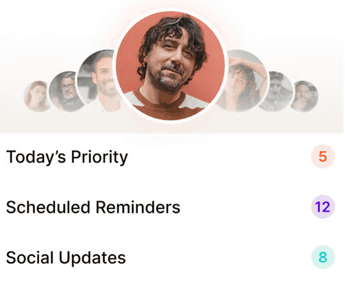
A daily priority list. Five to eight names a day with a reason for each.
Real-time social listening. Promotions, job changes, hiring posts, milestones across your network.
Natural-language search. "Who do I know at fintech Series B?" without setting up a tag taxonomy.
Mobile-first capture. The system stays current because it survives a busy week.
How to migrate from a contact spreadsheet without losing your work
Migration is one afternoon. Three steps:
Step 1: export your contact spreadsheet as a CSV. Most personal CRMs import CSVs directly. Regards does.
Step 2: tag your top 50 on import. Tier A (top 20, monthly cadence), Tier B (next 50, quarterly), referral partners, dormant warm leads, peers. Don't try to tag everyone. The full cleanup is a trap.
Step 3: dictate ten voice notes from memory — the last ten meaningful conversations you had. Watch the AI extract follow-ups. This is what makes the system feel different from the spreadsheet inside the first hour.
Three cases where a Google Sheets CRM is the right answer:
You have fewer than 30 contacts and they don't grow.
You only need the spreadsheet for a specific, finite project (planning a wedding, organizing a single conference outreach).
You're a power Excel user who actively maintains the sheet and doesn't want any automation.
Most professionals don't fit those cases. For everyone else, the move from spreadsheet to CRM pays back inside a quarter.


Why we built Regards
I’m bad at staying in touch. Not because I don’t value people. Its a lot of work, and I didn’t have a system. This started as my fix. A quiet assistant that helped me nurture relationships thoughtfully. When people noticed the difference and asked what I was doing, it slowly evolved into a product. And the love has been incredible. Regards, Khuze

Frequently Asked Questions
Can I keep my spreadsheet during the migration?
Yes. Keep the spreadsheet as a backup for the first month. Most users don't open it after week two.
Will my notes import cleanly?
Notes import into a notes field on each contact. If they're long, you'll want to review and tag highlights, but the data lands intact.
What if I have multiple spreadsheets for different parts of my network?
Import them in sequence. Tag each batch as you go ("clients," "BNI," "agency contacts"). The deduplication runs at import.
Is there a free version of Regards I can try before paying?
Yes. Free trial, no card needed. $150/year promo currently running.