
Most professionals now manage their networks on Linkedin. But that’s comes with its own challenges. Linkedin is a catalogue or directory of your network. It’s NOT a proactive relationship manager.
I find that many people have 2000 + contacts on Linkedin, but likely they won’t know who those people, how they met or when the last time they spoke it.
What is needed is a system that helps you manage your network. That reminds you to follow up, ensures you’re regularly checking-in with people and acts as a context memory of your relationship.
For small business owners who rely on referrals and relationships for revenue, this distinction matters enormously — and most people aren’t making it.
Key Takeaways
|
|---|
What LinkedIn Actually Does (and What It Doesn’t)
Let’s be precise. LinkedIn is genuinely valuable for:
Discovering and connecting with new contacts — the directory function is excellent
Staying aware of what people in your network are working on — the feed shows career changes, company news, and content from your connections
Publishing content — articles, posts, and comments that keep you visible in your network
Messaging — you can send direct messages to connections
What LinkedIn doesn’t do:
Remind you to reach out to specific contacts — the feed algorithm shows you what’s popular, not what’s important to your business relationships
Track your relationship history with individuals — no timeline of your interactions, no record of what you’ve discussed
Tell you who you haven’t spoken to — no contact health metrics, no “it’s been 3 months” alerts
Hold context about relationships — no place to add notes about what someone told you in a meeting or what they need
Create groups of people who are relevant - The 200 people that actually will send you business
Work offline — LinkedIn is entirely online; your in-person relationships don’t exist there unless you connect immediately
For relationship management, these are not minor omissions. They’re the entire value proposition of a relationship CRM.
The LinkedIn Illusion: Your Linkedin is NOT your warm referral network
Most LinkedIn connections are acquaintances who’d need to think hard to remember exactly where you met. That’s not a real professional relationship.
LinkedIn creates a false sense of being connected. Liking someone’s post might mean you remember their job change, but they definitely aren’t remembering you. It’s not a real interaction.
Similarly, often people attend conferences, add their connects on Linkedin and that’s it. It’s one more number on the network but not a real touchpoint.
The platforms that generate the most “activity” (likes, connections, impressions) are not necessarily the ones driving the most business. The relationships that drive business are the ones that have been maintained through real, direct, personal contact — and LinkedIn provides almost no tools for doing that systematically.
The Relationship CRM Gap for LinkedIn Users
If you’re a small business owner with an active LinkedIn presence, you probably have:
Hundreds or thousands of LinkedIn connections
A handful of relationships you’ve maintained meaningfully
A large gray area of semi-warm contacts who know who you are but haven’t heard from you in over a year
That gray area is where your referrals are hiding. These are people who know your work, trust your expertise (or like you), and would be willing to recommend you — if you were still visible in their world.
Bringing those gray-area contacts back to life doesn’t happen through LinkedIn posts they might or might not see. It happens through direct, personal outreach that shows you remember them specifically.
LinkedIn has no tools for systematically doing this. A Relationship CRM does.
Using a Relationship CRM Alongside LinkedIn: The Right Integration
The right approach is to use LinkedIn for what it’s good at (discovering contacts, staying loosely aware of what people are doing) while using a dedicated CRM for relationship management.
Here’s how the integration works in practice:
1. When you meet someone: Connect on Linkedin. But also immediately add them to your relationship CRM with context: how did you connect, what do they do, why did you connect, what’s the next step and what’s something personal you know about them
2. After any touchpoints: Add notes to their contact record about what you discussed. Set a follow-up reminder.
3. Use LinkedIn for triggers, CRM for action: When you see that a connection just changed jobs, got a promotion, or published a post about a challenge they’re facing — that’s your trigger. Your CRM is where you act on it.
How Regards Bridges the Gap Between LinkedIn and Real Relationship Management
Regards is not a LinkedIn replacement — it’s a LinkedIn complement. It handles everything LinkedIn can’t:
Contact capture with context. When you add a LinkedIn connection to Regards, you can add voice notes with context. It can also build an interaction history from your messages and emails.
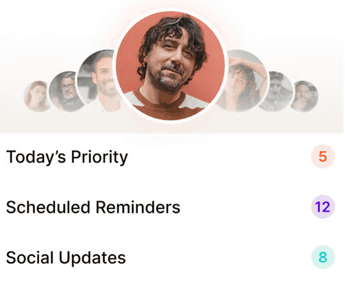
Proactive follow-up reminders. Regards tells you when you haven’t spoken to an important contact in a while — based on the cadence you’ve set. Your gray-area contacts become visible and actionable.
Conversation triggers to solve the awkwardness: Linkedin is a great source of triggers - job updates, posts, contacts in the news. Regards pulls those triggers and sends you conversation starters that you can one click send, so that you’re in touch with that person at the right time.
Works for in-person relationships too. Not all your valuable contacts are on LinkedIn. The client you met at a trade show, the referral partner you know from your local business association — Regards manages these just as well.
What Small Business Owners Should Do This Week
If you’ve been relying primarily on LinkedIn for relationship management, here’s a quick-start plan:
Step 1: Export your LinkedIn connections (Settings → Data Privacy → Get a copy of your data → Request archive).
Step 2: Import the CSV into Regards (or another CRM of your choice).
Step 3: Identify your top 200 most valuable LinkedIn connections — past clients, referral sources, warm prospects, key collaborators.
Step 4: For each one, add context: how do you know them, when did you last have a real conversation, and what should the next touchpoint be?
Step 5: Set follow-up cadences and start acting on them this week.
Most people will discover that the “real conversation” date for half of their most important contacts is over a year ago. That’s the relationship gap. And it’s full of referrals you haven’t captured yet.
Related reading:

Why we built Regards
I’m bad at staying in touch. Not because I don’t value people. Its a lot of work, and I didn’t have a system. This started as my fix. A quiet assistant that helped me nurture relationships thoughtfully. When people noticed the difference and asked what I was doing, it slowly evolved into a product. And the love has been incredible. Regards, Khuze

Frequently Asked Questions
Can LinkedIn be used as a CRM?
LinkedIn can partially serve as a contact directory and communication platform, but it lacks the core features of a CRM: proactive follow-up reminders, contact health tracking, conversation context and notes, and relationship cadence management. For small business owners who rely on referrals, LinkedIn should be used for discovery and awareness — a dedicated CRM like Regards handles relationship maintenance.
What’s the difference between LinkedIn and a CRM?
LinkedIn is a professional social network optimized for content, discovery, and connections. A CRM (Customer Relationship Manager) is a system for tracking and maintaining individual relationships over time. The key CRM functions LinkedIn lacks: follow-up reminders, contact history notes, relationship health tracking, and proactive contact surfacing based on who you haven’t spoken to recently.
How do small business owners manage LinkedIn contacts effectively?
The most effective approach: export your LinkedIn connections as a CSV, import them into a personal CRM like Regards, add context for your top contacts, and set follow-up cadences. Use LinkedIn to stay aware of what contacts are doing (career changes, company news, posts), then act on those triggers through personal outreach managed in your CRM.
Is there a CRM that integrates with LinkedIn?
Dex has the deepest LinkedIn integration — it imports your LinkedIn interaction history and organizes it by contact. HubSpot also has a LinkedIn Sales Navigator integration (paid). Regards focuses on relationship maintenance across all contacts, not just LinkedIn, and is better suited for small business owners who network both online and in-person.
How do I reconnect with LinkedIn contacts I haven’t spoken to in a long time?
Be direct and personal. Reference something specific about them — a recent post, a career change, or your last real conversation. Don’t apologize for the gap. “I’ve been meaning to reconnect — saw you just [milestone] and wanted to say congrats” is a natural, low-pressure way to re-warm a connection that’s gone cold.